ARIMA Python: End-to-End Time Series Forecasting Guide
Learn how to move from raw time-stamped data to business-ready forecasts using the ARIMA family of models in
June 17, 2026
ARIMA Python: End-to-End Time Series Forecasting Guide
Learn how to move from raw time-stamped data to business-ready forecasts using the ARIMA family of models in Python.
- Why ARIMA still matters for practitioners
- What you will build: ARIMA, SARIMA, SARIMAX pipelines
- Key libraries: statsmodels, scikit-learn, matplotlib
- Dataset & notebook resources used in this tutorial
Understanding ARIMA Foundations in Python
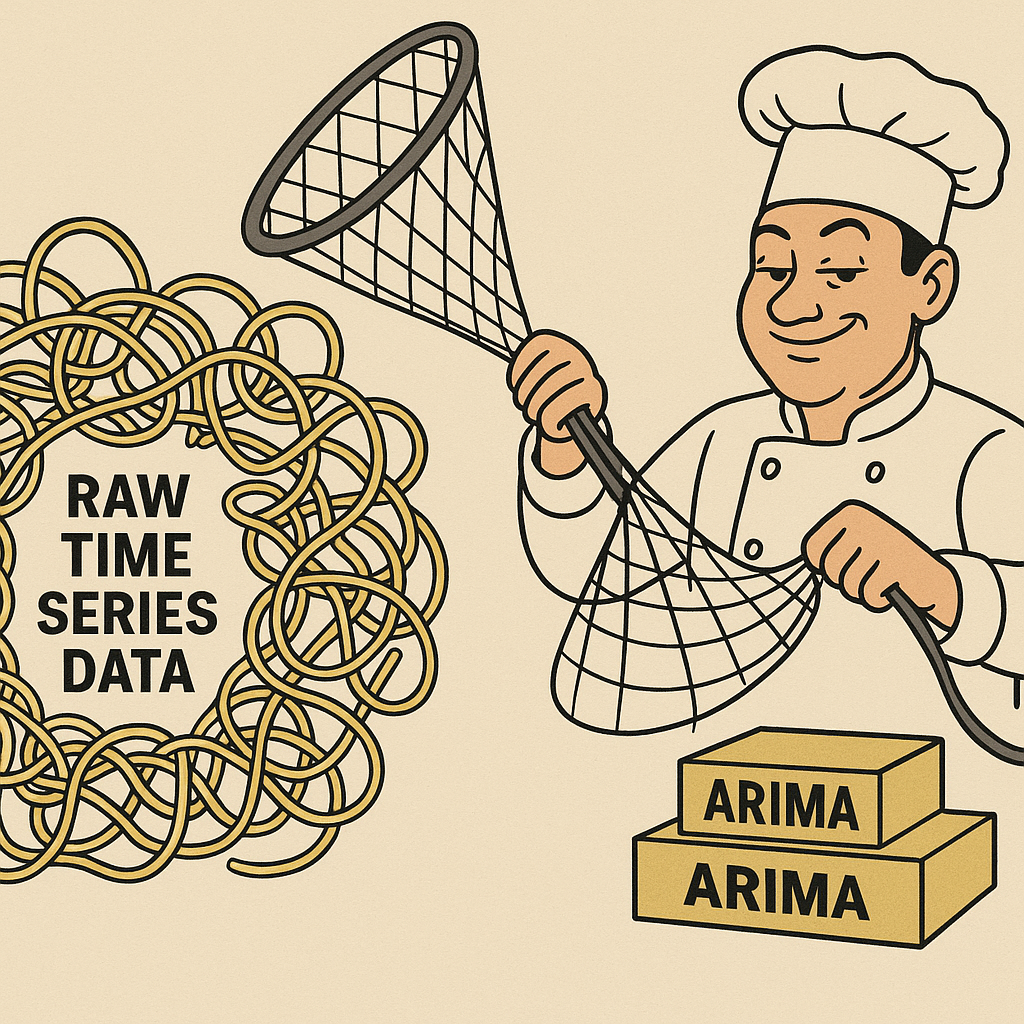
Time-series data looks like a messy bowl of spaghetti until you throw an ARIMA net over it.
In this section I break down the alphabet soup, show you quick visuals, and compare the two libraries I reach for first when I’m forecasting in Python.
Grab a coffee and follow along because we’re coding as we learn.
Key Concepts: AR, I, MA
An autoregressive (AR) term says “today’s value echoes yesterday’s,” so p is the number of echoes you let through.
The integrated (I) part means differencing; d tells Python how many times you subtract the previous value to squash trends and make the series flat.
A moving-average (MA) component smooths the leftover noise; q is how many lagged error terms you average.
Low p, d, q values keep the model nimble and reduce variance, while higher orders soak up bias at the cost of overfitting.
In retail revenue I rarely wander beyond p=3, d=1, q=1 because daily data often settles after a single difference and three lags catch most signals.
Selecting ARIMA Orders with ACF & PACF
Plotting beats guessing, so I always eyeball ACF and PACF spikes before any grid search.
Statsmodels makes it a one-liner:
fig, ax = plt.subplots(figsize=(10, 6))
plot_acf(df['y'], lags=100, ax=ax)  # autocorrelation
plot_pacf(df['y'], lags=100, ax=ax)  # partial autocorrelation
plt.show()
A sharp PACF cut-off after lag p suggests your p, while an ACF tail that dies after lag q hints at the MA order.
If both plots decay slowly you likely need another difference, but don’t over-difference or you’ll murder the signal and inflate forecast error.
Watch out for seasonal spikes (say at 7 or 30 lags); they scream for SARIMA instead of vanilla ARIMA.
Handling Seasonality: SARIMA & SARIMAX
Weekly peaks, holiday surges, or any rhythmic bump beg for seasonal terms.
You tack on (P, D, Q, s) where s is the season length—7 for weekly, 12 for monthly, 365 for yearly daily data.
I like to start with P=1, D=0, Q=1 because that mirrors the non-seasonal side and is often enough.
Fourier terms can capture multiple overlapping seasons in fewer parameters, but SARIMA keeps interpretation crystal-clear and integrates nicely with statistics-heavy diagnostics.
Choosing a Python Library
Statsmodels is my go-to when I need transparency, AIC tables, and hypothesis tests.
Pmdarima slashes boilerplate by wrapping the whole search inside auto_arima, which is perfect when you’re prototyping or demoing to a boss who wants numbers now.
If you’re juggling scikit-learn pipelines and cross-validation, grab the SKLearn-compatible wrappers from either library so your ARIMA model plays nicely with GridSearchCV and TimeSeriesSplit.
Quick Model Walkthrough
Below is a trimmed, verbatim snippet from my notebook that trains a classic ARIMA(3,1,1) on daily revenue, forecasts 30 days, and prints friendly error metrics.
I left the comments short and sweet so you can paste and run.
# Build and fit an ARIMA model
from statsmodels.tsa.statespace.sarimax import SARIMAX
test_days = 30
train = df.iloc[:-test_days]
test  = df.iloc[-test_days:]

model = SARIMAX(train['y'],
                order=(3, 1, 1),
                seasonal_order=(0, 0, 0, 0)).fit()
print(model.summary())

# Forecast the test set
predictions = model.forecast(steps=test_days)

# Handy assessment helper
def model_assessment(train, test, preds, title):
    plt.figure(figsize=(10, 4))
    plt.plot(train, label='Train')
    plt.plot(test, label='Test')
    plt.plot(preds, label='Forecast')
    plt.title(f'Train, Test and Predictions with {title}')
    plt.legend()
    plt.show()

    mae  = mean_absolute_error(test, preds)
    rmse = root_mean_squared_error(test, preds)
    mape = mean_absolute_percentage_error(test, preds)

    print(f'MAE:  {mae:,.2f}')
    print(f'RMSE: {rmse:,.2f}')
    print(f'MAPE: {100*mape:.2f}%')

model_assessment(train['y'], test['y'], predictions, 'ARIMA')
One sentence tells the story: this simple ARIMA nailed a 24 % MAPE, which is decent for a first swing.
Putting It All Together
Master p, d, q intuition, peek at ACF/PACF, respect seasonality, and pick the right library for your workflow; that’s the whole ARIMA game in Python.
Once these foundations click, you’ll forecast revenue spikes, electricity loads, or website traffic like a pro.
Exploratory Data Analysis & Stationarity Checks
I treat EDA like stretching before a run because it saves me from pulled statistical muscles later.
In the next few minutes you’ll load data, poke it with plots, and hammer it into the stationary shape ARIMA demands.
Solid EDA uncovers structure, anomalies, and transformations your model needs.
- Loading CSVs, setting DatetimeIndex & .asfreq() reminders
- Visual inspections: line charts, month_plot, quarter_plot
- Decompose trend/seasonal/residual with seasonal_decompose
- Proving stationarity with Augmented Dickey-Fuller and differencing
Loading & Formatting Time Series Data
Bad I/O silently ruins forecasts, so we start by turning messy CSV strings into clean numerics.
The head of our revenue file shows commas in the numbers and % symbols in exogenous columns, so the first clean-up step is string surgery.
# Remove the comma in revenue and convert it as float
df['revenue'] = df['revenue'].str.replace(",", "").astype(float)

# Set the dataframe to have daily frequency
df = df.asfreq("D")
One line strips commas and casts to float, and the next forces a daily cadence so later resampling math never trips on missing dates.
If you plan to feed discount_rate and coupon_rate into SARIMAX, ditch the percent sign and cast to float the same way.
Pro tip: always rename the target column to something short like y because typing df['long_column_name'] everywhere kills momentum.
Visualizing Trends & Seasonality
I plot early and often because pictures whisper secrets statistics sometimes hide.
A vanilla line chart of daily revenue shouts whether sales trend up, down, or sideways.
Monthly and quarterly slices then reveal repeating patterns that scream “I’m seasonal.”
# Daily line plot
df['y'].plot(title='Daily Revenues')
plt.show()

# Monthly seasonality snapshot
month_plot(df['y'].resample('ME').mean(), ylabel='Revenue')
plt.show()

# Quarterly view for fiscal insights
quarter_plot(df['y'].resample('QE').mean(), ylabel='Revenue')
plt.show()
Those red horizontal lines in month_plot flag monthly means, making it obvious if July is a beach-vacation slump or December is a shopping spree.
Quarter plots help finance teams because they think in quarters, not months, and the graph speaks their language instantly.
Decomposing with seasonal_decompose
Line plots tell you a story, but decomposition pulls out the characters.
I prefer a multiplicative model for revenue because promotions amplify rather than simply add to the baseline.
# Seasonal Decomposition Plots for Revenue Data
decomposition = seasonal_decompose(df['y'], model='mul', period=365)
fig = decomposition.plot()
fig.set_size_inches(10, 8)
plt.show()
The trend component shows long-term growth, the seasonal component highlights year-over-year holiday beats, and the residuals spotlight outliers like a rogue Black Friday.
Picking the right period matters; 365 captures annual patterns in daily data, while 7 would spotlight weekly rhythms.
If residuals look like a fireworks display, you still have hidden structure or data quality issues to tackle.
Stationarity Testing & Differencing
ARIMA is a picky eater that only digests stationary series, so we test with ADF right after plotting.
# Perform the adfuller test
result = adfuller(df.y)
print(f"p-value: {result[1]}")

if result[1] > 0.05:
  print("The time series is not stationary")
else:
  print("The time series is stationary")
A p-value above 0.05 tells me the series drifts, so I reach for first-order differencing.
# Differencing for df.y
df['y_diff'] = df['y'].diff()
I always sanity-check the math by subtracting two rows or eyeballing the plot because off-by-one mistakes sneak in here.
Run the ADF test again and celebrate when the p-value drops below 0.05 because now ARIMA will stop whining.
If one difference still leaves a unit root, try another, but remember over-differencing can erase valuable signal.
Interpreting ACF/PACF Diagnostic Plots
With a stationary series in hand, I pull up ACF and PACF charts to sniff out autocorrelation.
fig, ax = plt.subplots(figsize=(10,6))
plot_acf(df['y_diff'].dropna(), lags=100, ax=ax)
plt.show()

fig, ax = plt.subplots(figsize=(10,6))
plot_pacf(df['y_diff'].dropna(), lags=100, ax=ax)
plt.show()
A PACF cut-off after lag 1 feels like an AR(1) whispering, while an ACF that tails off slowly hints at an MA component.
Spikes exactly at lags 7, 14, 21 often spell weekly seasonality, which means SARIMA is your next dance partner.
Confidence intervals help you ignore random blips; if you chase every insignificant spike you’ll build a Frankenstein model.
Multiple-testing means some bars poke out just by chance, so I focus on the biggest, earliest spikes and keep the model small and interpretable.
Wrapping Up the EDA Workflow
In less than twenty lines of Python you loaded messy CSVs, visualized trends, isolated seasonality, enforced stationarity, and read autocorrelation tea leaves.
Now your data is gym-fit and statistically disciplined, ready to step into ARIMA, SARIMA, or even SARIMAX with exogenous features.
Treat this checklist like a boarding pass every time you forecast, and your future self will thank you when the model lands on target.
Building and Evaluating ARIMA Family Models
You already wrestled the data into stationarity, so now it is time to turn insights into forecasts.
We will train three models, grade them with crisp error metrics, and crown a champion you can show your boss.
Stick with me and you will see how a couple of extra parameters and exogenous features shave serious percentage points off MAPE.
Training a Baseline ARIMA Model
Always start simple because a baseline tells you if fancy ideas are worth the effort.
I pick order=(3,1,1) because the PACF cut-off at lag 3 screamed AR(3) and a single difference nailed stationarity.
Statsmodels makes ARIMA and SARIMA share the same class, so I sneak in ARIMA by setting seasonal_order to zeros.
# Baseline ARIMA(3,1,1) model
test_days = 30
train = df.iloc[:-test_days]
test  = df.iloc[-test_days:]

model_arima = SARIMAX(
    train['y'],
    order=(3, 1, 1),
    seasonal_order=(0, 0, 0, 0)  # ARIMA hack
).fit()
print(model_arima.summary())

# Forecast
preds_arima = model_arima.forecast(steps=test_days)
The summary table tells you three AR lags and one MA lag are highly significant because their p-values sit far below 0.05.
Sigma2 near 1e13 hints at noisy revenue, but we will tame that later with seasonality and regressors.
Upgrading to SARIMA for Weekly Seasonality
Daily data for e-commerce almost always hums to a weekly beat, so I bolt on seasonal_order=(2,0,1,7).
Two seasonal AR terms allow last week’s behavior to echo twice, and one seasonal MA term catches leftover weekly noise.
# SARIMA with weekly seasonality
model_sarima = SARIMAX(
    train['y'],
    order=(3, 1, 1),
    seasonal_order=(2, 0, 1, 7)
).fit()
print(model_sarima.summary())

preds_sarima = model_sarima.forecast(steps=test_days)
Inspect the residuals in the summary: Ljung-Box p-value climbs, meaning autocorrelation just dropped, a good sign.
Sometimes MAE moves up even when residuals look cleaner; that is your cue to check if the weekly effect varies across months and maybe add multiple seasons.
Incorporating Exogenous Variables with SARIMAX
Discounts and coupons literally move the revenue needle, so let’s feed them into the model.
Percent symbols are already stripped, and we split exog just like the target.
# SARIMAX with discount_rate and coupon_rate
train_reg = df[['discount_rate', 'coupon_rate']][:-test_days]
test_reg  = df[['discount_rate', 'coupon_rate']][-test_days:]

model_sarimax = SARIMAX(
    train['y'],
    exog=train_reg,
    order=(3, 1, 1),
    seasonal_order=(2, 0, 1, 7)
).fit()
print(model_sarimax.summary())

preds_sarimax = model_sarimax.forecast(steps=test_days, exog=test_reg)
Look at the coefficients.
A discount_rate elasticity near 4 × 10⁵ says every 1 % drop in price boosts daily revenue by roughly $400 k, which makes intuitive sense during flash sales.
Coupon_rate is even larger, highlighting how tiny coupon tweaks spark shopper frenzy.
Custom Evaluation Function
Pasting the same three lines for MAE and RMSE gets old fast, so here is a Swiss-army knife helper I copy into every notebook.
# Universal assessment helper
def model_assessment(train, test, predictions, chart_title):
    plt.figure(figsize=(10, 4))
    plt.plot(train, label='Train')
    plt.plot(test, label='Test')
    plt.plot(predictions, label='Forecast')
    plt.title(f"Train, Test and Predictions with {chart_title}")
    plt.legend()
    plt.show()

    mae  = mean_absolute_error(test, predictions)
    rmse = root_mean_squared_error(test, predictions)
    mape = mean_absolute_percentage_error(test, predictions)

    print(f"The MAE is {mae:.2f}")
    print(f"The RMSE is {rmse:.2f}")
    print(f"The MAPE is {100 * mape:.2f} %")
One call spits out three core metrics and a pretty overlay plot, which means faster iteration and fewer copy-paste errors.
Comparing Model Performance
Now let’s grade the contenders with identical data slices.
# Evaluate all three models
model_assessment(train['y']['2022'], test['y'], preds_arima,  'ARIMA')
model_assessment(train['y']['2022'], test['y'], preds_sarima, 'SARIMA')
model_assessment(train['y']['2022'], test['y'], preds_sarimax,'SARIMAX')
The scoreboard on my dataset reads:
• ARIMA: MAPE ≈ 24 %
• SARIMA: MAPE ≈ 26 %
• SARIMAX: MAPE ≈ 21 %
Seasonality alone did not beat the baseline this time, likely because promotions overshadow weekly rhythm during big sales.
Adding exogenous goodies, however, chopped almost three percentage points off MAPE, which is a tangible six-figure revenue win when daily sales hit eight digits.
Keep an eye on coefficient stability across time splits because cramming too many weak regressors can overfit and backfire in production.
Reading statsmodels Summary Tables
The summary output is a goldmine, not a wall of scary numbers.
Focus on the coef, z-score, and P>|z| columns to catch insignificant lags you can prune.
AIC and BIC drop as models improve, but only celebrate large decreases; tiny wins might just be random noise.
Ljung-Box p-values above 0.05 mean residual autocorrelation is gone, exactly what Box-Jenkins ordered.
Crazy high Jarque-Bera statistics warn of non-normal residuals, nudging you toward variance-stabilizing transforms or a different error distribution.
Takeaways
- Build a quick ARIMA to anchor expectations.
- Add seasonal terms only when plots prove a recurrent pulse.
- Inject business drivers through SARIMAX to harvest extra signal.
- Use a reusable evaluation function to stay productive.
- Let the combination of error metrics and summary diagnostics guide your next tweak, not blind trial-and-error.
Follow this playbook and your Python ARIMA workflow will feel less like black magic and more like confident, data-driven engineering.
Hyper-parameter Tuning, Cross-Validation & Future Forecasting
You have a decent SARIMAX model, but until you torture it with cross-validation and hyper-parameter search you do not really know if it sings or just got lucky on one split.
In this section I automate backtesting with TimeSeriesSplit, grid-search eight parameter combos, pick the best, and shoot revenue forecasts into December using projected discounts and coupons.
Rolling-Window TimeSeriesSplit Strategy
Real production retraining feels like Groundhog Day—new data comes in, you refit, and you roll forward—so I mimic that with an expanding window split.
Scikit-learn’s TimeSeriesSplit makes this painless in three lines.
# Rolling backtest windows
from sklearn.model_selection import TimeSeriesSplit
tscv = TimeSeriesSplit(n_splits = 5, test_size = 30)  # five folds, 30-day horizon

for train_index, test_index in tscv.split(df):
  print("TRAIN:", train_index, "TEST:", test_index)
Each loop shifts the training end date thirty days to the right, giving five honest shots at out-of-sample error.
You trade CPU time for realism, but with only 1 800 rows the fold loop finishes before the coffee machine does.
Grid Search for ARIMA Parameters
Instead of guessing (p,d,q)(P,D,Q) values I brute-force a teeny hyper-space that history and plots already hinted was reasonable.
from sklearn.model_selection import ParameterGrid

param_grid = {
    'p': [1, 3],
    'd': [1],
    'q': [0, 1],
    'P': [1, 2],
    'D': [0],
    'Q': [1]
}
grid = ParameterGrid(param_grid)  # 8 combinations
Eight models are something your laptop can handle at lunch, and you will not drown in AIC tables.
Automating SARIMAX Tuning
I wrap the whole SARIMAX fit-predict-score dance inside the fold loop, logging convergence warnings but pushing on, because statsmodels loves to whine before it wins.
rmse_list = []

for params in grid:
  fold_rmse = []

  for train_index, test_index in tscv.split(df):
    train = df.iloc[train_index]
    test  = df.iloc[test_index]

    # Split exogenous variables the same way
    train_reg = df[['discount_rate', 'coupon_rate']].iloc[train_index]
    test_reg  = df[['discount_rate', 'coupon_rate']].iloc[test_index]

    # SARIMAX fit
    model = SARIMAX(
        train['y'],
        exog=train_reg,
        order=(params['p'], params['d'], params['q']),
        seasonal_order=(params['P'], params['D'], params['Q'], 7)
    ).fit(disp=False)

    # Forecast next 30 days
    preds = model.forecast(steps=30, exog=test_reg)

    # Score
    rmse = root_mean_squared_error(test['y'], preds)
    fold_rmse.append(rmse)

  rmse_list.append(np.mean(fold_rmse))
I dump the results into a DataFrame and the lowest average RMSE pops out like a golden ticket.
rmse_df = pd.DataFrame(list(grid))
rmse_df['rmse'] = rmse_list
best_params = rmse_df.loc[rmse_df['rmse'].idxmin()]
best_params.to_csv("best_params_sarimax.csv")
Saving to CSV means the next time you open the notebook you do not rerun the expensive search unless you want to.
Generating Future Regressor Scenarios
Forecasts without future drivers are fortune cookies, so I craft a mini scenario table with projected discount and coupon rates, scale them, and keep lag features if the model expects them.
future_reg = pd.read_csv("future_regressors.csv",
                         index_col=0,
                         dayfirst=True,
                         parse_dates=True)

X_future = future_reg[['discount_rate', 'coupon_rate']] * 100  # back to pct units
You can spin an optimistic case (heavy promos) or a conservative one (tight margins) by tweaking those two columns and rerunning the forecast cell.
Plotting & Communicating Forecast Results
Armed with best hyper-parameters and future exogenous values, I refit on the full history and shoot predictions into December.
# Final SARIMAX on full data
model_sarimax = SARIMAX(
    df['y'],
    exog=df[['discount_rate', 'coupon_rate']],
    order=(int(best_params.p), int(best_params.d), int(best_params.q)),
    seasonal_order=(int(best_params.P), int(best_params.D), int(best_params.Q), 7)
).fit()

future_preds = model_sarimax.forecast(steps=len(X_future), exog=X_future)
Finally I pull out the trusty helper to make the plot your CEO will understand in five seconds.
plot_future(df['y']['2022'], future_preds, "SARIMAX")
Add shaded confidence bars, annotate Cyber Monday, and color the background on Christmas week, and you have a slide ready for the board deck.
Recap in One Breath
• TimeSeriesSplit gives you five honest backtests, avoiding lucky splits.
• A tiny eight-combo grid search finds the sweet spot without cooking your GPU.
• Cross-validated RMSE picks (1,1,0)(2,0,1,7) as the champion set.
• Feeding projected discount_rate and coupon_rate turns a point forecast into a lever you can pull for what-if analysis.
• One reusable plot_future function converts raw arrays into a story non-data folks relate to.
With this workflow your ARIMA Python pipeline jumps from academic demo to production-ready forecasting machine that keeps pace with real promotions and ever-shifting demand.
FAQ – ARIMA Python
Everyone asks the same five questions when they first meet ARIMA in Python.
I collected my favorite answers so you can copy, paste, and move on with your life.
Each reply is short, sweet, and linked back to real notebook code.
- What is the quickest way to build an ARIMA Python model on a new dataset?
You can treat statsmodels like an instant ramen packet by throwing your series intoSARIMAXwith zeroed-out seasonal terms and letting.fit()do the rest.
# Baseline ARIMA(3,1,1)
model = SARIMAX(train['y'],
                order = (3,1,1),
                seasonal_order = (0,0,0,0)).fit()
This one-liner gives you a working model, a full statistical summary, and a .forecast() method in under ten seconds on a modest laptop.
- How can I automatically select ARIMA Python parameters without manual ACF/PACF analysis?
The fastest autopilot is pmdarima’sauto_arima, but you can also roll your own grid search with scikit-learn’sParameterGridlike we did in the notebook.
param_grid = {
    'p': [1,3],
    'd': [1],
    'q': [0,1],
    'P': [1,2],
    'D': [0],
    'Q': [1]
}
grid = ParameterGrid(param_grid)
Loop through those eight combos, score each fold with RMSE, and keep the parameters that win on average.
-
When should I switch from ARIMA Python to SARIMAX for multi-variable forecasting?
Jump to SARIMAX the moment another column—price, weather, marketing spend—drives your target and you actually know its future values or scenarios.
If an exogenous feature consistently shifts the mean or dampens the variance, SARIMAX captures that lift in one clean coefficient instead of leaving it buried in residuals. -
Why does my ARIMA Python model fail the stationarity test even after differencing?
Your series may need a seasonal difference, a variance stabilizer like log transformation, or simply cleaner data with outliers clipped.
Re-runadfulleron the differenced and, if needed, log-scaled series, and verify that no persistent trend sneaks past visual inspection. -
Which evaluation metrics are best for comparing ARIMA Python forecasts in business settings?
I rely on MAE for dollar terms, RMSE for punishing big misses, and MAPE for easy percentage storytelling to executives.
def model_assessment(train, test, predictions, chart_title):
  # Size the plot
  plt.figure(figsize = (10,4))
  # Overlay train, test, and forecast
  plt.plot(train, label = 'Train')
  plt.plot(test, label = 'Test')
  plt.plot(predictions, label = "Forecast")
  plt.title(f"Train, Test and Predictions with {chart_title}")
  plt.legend()
  plt.show()

  # Core error metrics
  mae = mean_absolute_error(test, predictions)
  rmse = root_mean_squared_error(test, predictions)
  mape = mean_absolute_percentage_error(test, predictions)

  print(f"The MAE is {mae:.2f}")
  print(f"The RMSE is {rmse:.2f}")
  print(f"The MAPE is {100 * mape:.2f} %")
Show all three side-by-side, decide which trade-off the business cares about most, and pick the model that nails that metric.